|
||||
|
|
||||








| Disable start up programs to speed up your computer! How to |
|
||||
|
|
||||
| Disable start up programs to speed up your computer! How to |
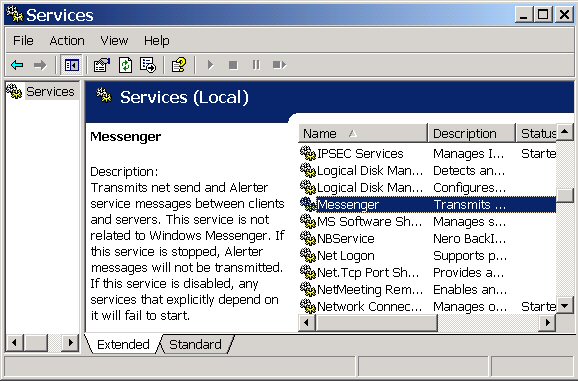
Disable Windows Messenger Windows XP Users Companies often send pop-ups. They appear without your browser being open. Service Pack 2 automatically disables. Click Start, Control Panel, Administrative tools, Double click Services, Double click Messenger
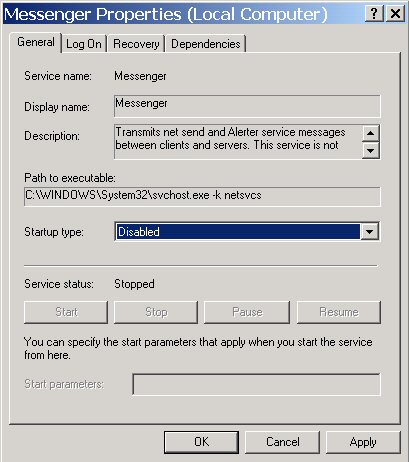
Set the Startup type to disabled then click stop. Service status should read Stopped. Click apply then okay.
An alternative is to use Microsoft's anti spyware software, it will ask you if you would like to disable Windows Messenger.
|
|
|
|
| Copyright © 2005 - 2009 delawarepchelp.com, All Rights Reserved |