|
||||
|
|
||||








| Disable start up programs to speed up your computer! How to |
|
||||
|
|
||||
| Disable start up programs to speed up your computer! How to |
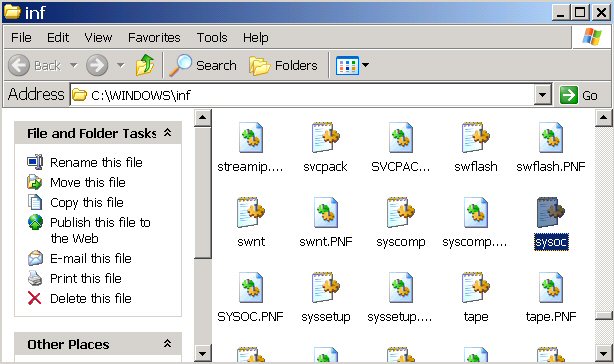
Programs not in Add/Remove Windows XP Users Sometimes you want to remove programs that are not visible in the Windows Add/Remove. Here is a helpful trick to make those Windows programs visible. In Windows Explore go to the following location C:\WINDOWS\inf and locate the file sysoc.inf.
Double click on the file. It will open in notepad.
Now you want to do a replace on the word hide. You want to replace it with nothing. Use the find and replace feature for this to make things easier. I recommend making a copy of the file first just in case. It is always a good habit to be safe.
|
|
|
|
| Copyright © 2005 - 2009 delawarepchelp.com, All Rights Reserved |