|
||||
|
|
||||








| Disable start up programs to speed up your computer! How to |
|
||||
|
|
||||
| Disable start up programs to speed up your computer! How to |
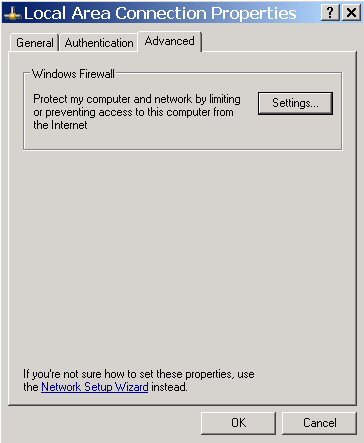
Enable XP firewall Example provided for XP Professional users. Click Start, Control Panel, Network Connections, right click Local Area Connection and select properties. Select the Advanced tab, then click on Settings
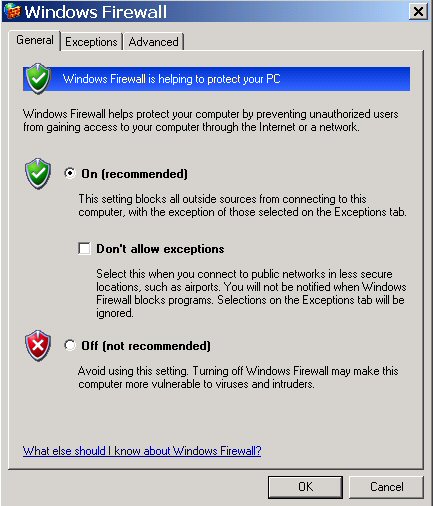
Check the box to turn Firewall ON (recommended) Then click OK
|
|
|
|
| Copyright © 2005 - 2009 delawarepchelp.com, All Rights Reserved |